MedOne, in its own window on your computer.
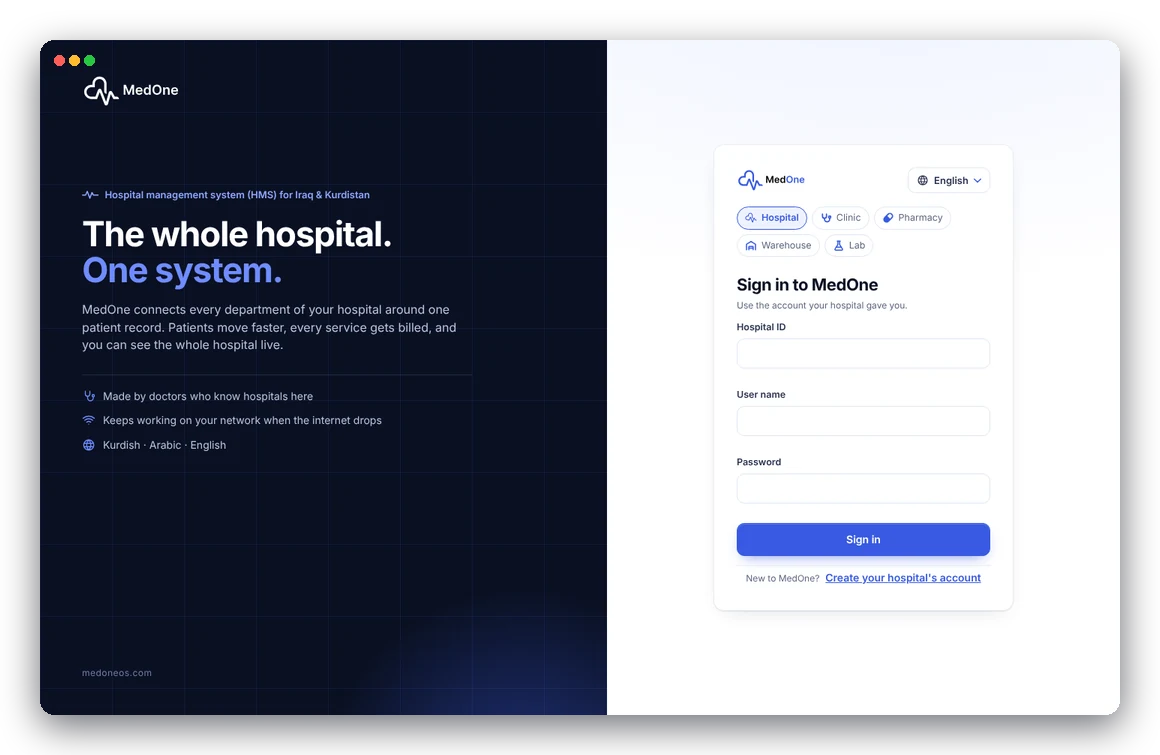
The whole of MedOne Online in a desktop app made for Windows and Mac: hospital, clinic, pharmacy, laboratory and warehouse. Sign in with your Hospital ID, exactly as on the web.
Choose your computer.
Windows
Windows 10 or 11, 64-bit. Installs for you without administrator rights.
MedOne-1.0.0-Windows-Setup.exe
SHA-256 a47139410569d1837d59b26f3469fa4faec074f98c7c845c858dbd43b7b2a7c1
Mac with Apple silicon
M1, M2, M3, M4 or newer, macOS 12 or later.
Available soon
Mac with Intel
Intel Macs, macOS 12 or later.
Available soon
A Windows app on Windows, a Mac app on a Mac.
Native window
On Mac the traffic lights sit in MedOne’s top bar and the side menu is translucent; on Windows the top bar is the title bar, with snap layouts.
Every MedOne platform
Hospital, clinic, pharmacy, laboratory and warehouse: one app, the same sign-in as the web.
Your language
The menus follow the language you choose in MedOne: Kurdish, Arabic or English, right to left where needed.
Shortcuts
Ctrl or Cmd with 1 to 9 opens your side-menu items; search, print, zoom and back with the keys you already know.
Waiting items on the icon
The Dock or taskbar icon shows what waits for you, such as prescriptions at the pharmacy, and asks for attention when something new arrives.
Safe and up to date
Works online, keeps nothing on the computer and signs you out when you close it. Updates are checked and installed only when you agree.
Three steps.
Windows
Open MedOne Setup. If Windows says it protected your PC, click “More info”, then “Run anyway”. MedOne appears in the Start menu.
Mac
Open the disk image and drag MedOne into Applications, then open it from Launchpad or Applications.
Sign in
Use your Hospital ID, user name and password, the same as on web.medoneos.com. Camera and location are asked only when you scan or check in.
MedOne for Windows and Mac works online. Hospitals that must keep working without internet run MedOne on their own hospital server. How MedOne is deployed
See MedOne running a hospital day.
We'll walk your team from registration to discharge using your departments and workflows, in Arabic, Kurdish or English.